This Is an Example of Why Vim and NeoVim Are Superior to Most of the Other IDEs
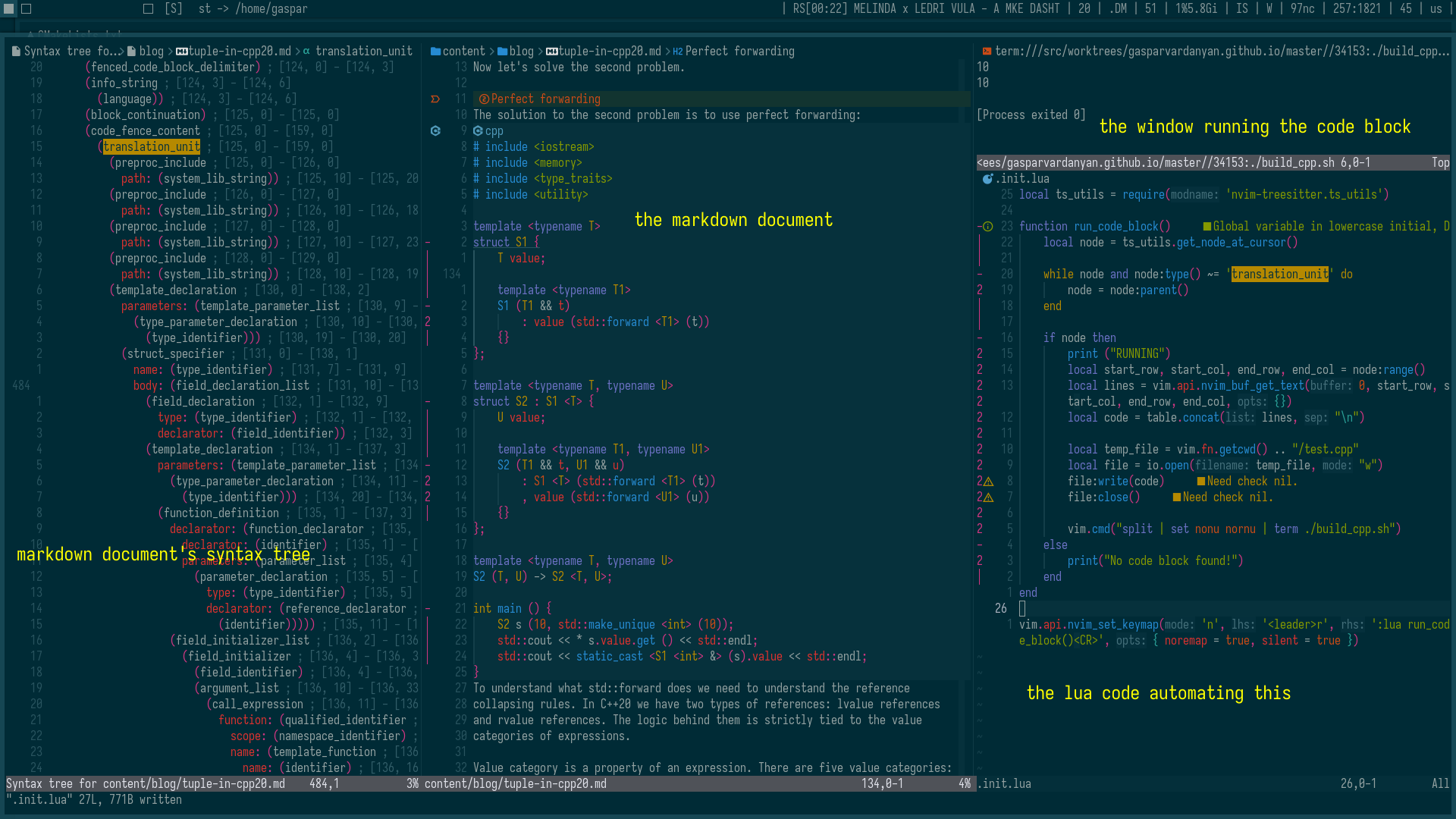
I’m writing an article about C++ in markdown (will publish here soon). In that article I have a lot of C++ code blocks and their outputs. The problem I was facing was that every time I wanted to change something in a code block I had to copy the block to a separate C++ file, compile and run to check for errors and update the output in my article.
Of course there are a couple of good plugins that automate this process, but I remembered that I had automated this when I was learning NeoVim internals. I automated this process in neorg files. Neorg is a document type like markdown. It’s a variation of Emacs’ Org mode in NeoVim.
NeoVim uses TreeSitter for syntax highlighting and some other stuff to work with the document structure at the syntax level.
I use a NeoVim plugin which supports highlighting code blocks in markdown files like in the language-native files with TreeSitter. I remember when I was doing web development in other IDEs, before I started using NeoVim, the JavaScript highlighting wasn’t as good in an HTML script tag as in .js files. That’s not the case with NeoVim!
NeoVim gives an interface to work with TreeSitter (and everything).
I wrote a small NeoVim Lua code that extracted the code block under the cursor in neorg files, wrote it to a C++ file, and compiled and ran it in a separate NeoVim window. The same code works for markdown files without any change.
When the cursor is inside a code block, I take the appropriate TreeSitter node and go up through parents until I find the whole translation_unit node. Then I read the translation_unit node’s content which is the entire code block, save it to a file, compile and run in NeoVim.
Now I have to move my cursor inside a code block and press “r” to compile and run that code block instead of copying it to a separate file and doing the job manually.
The idea here isn’t the specific problem I’ve faced and been able to solve. The idea here is that NeoVim gives the ability to do whatever you want without using any plugins.
Maybe other IDEs give that ability too, but who does it in Visual Studio for example, or Xcode (is it even possible in Apple’s ecosystem?).
Everyone using NeoVim does this. Using NeoVim you learn about TreeSitter, LSP, DAP and other stuff and customize your coding environment exactly as you like. You see beyond the green run button.
If someone or even the community has decided that a specific (maybe a little customizable) workflow is the best for most users, it doesn’t mean that it’s the best for you!